REST API
Almost every action performed in the Zuar Portal user interface has a corresponding REST API endpoint. With the API you can programmatically create/manage content and use Zuar Portal as a data source.
API Base URL
To interact with the REST API, add /api to the end of your Zuar Portal's web address:
https://{Zuar_Portal_URL}/api
Endpoints and Methods
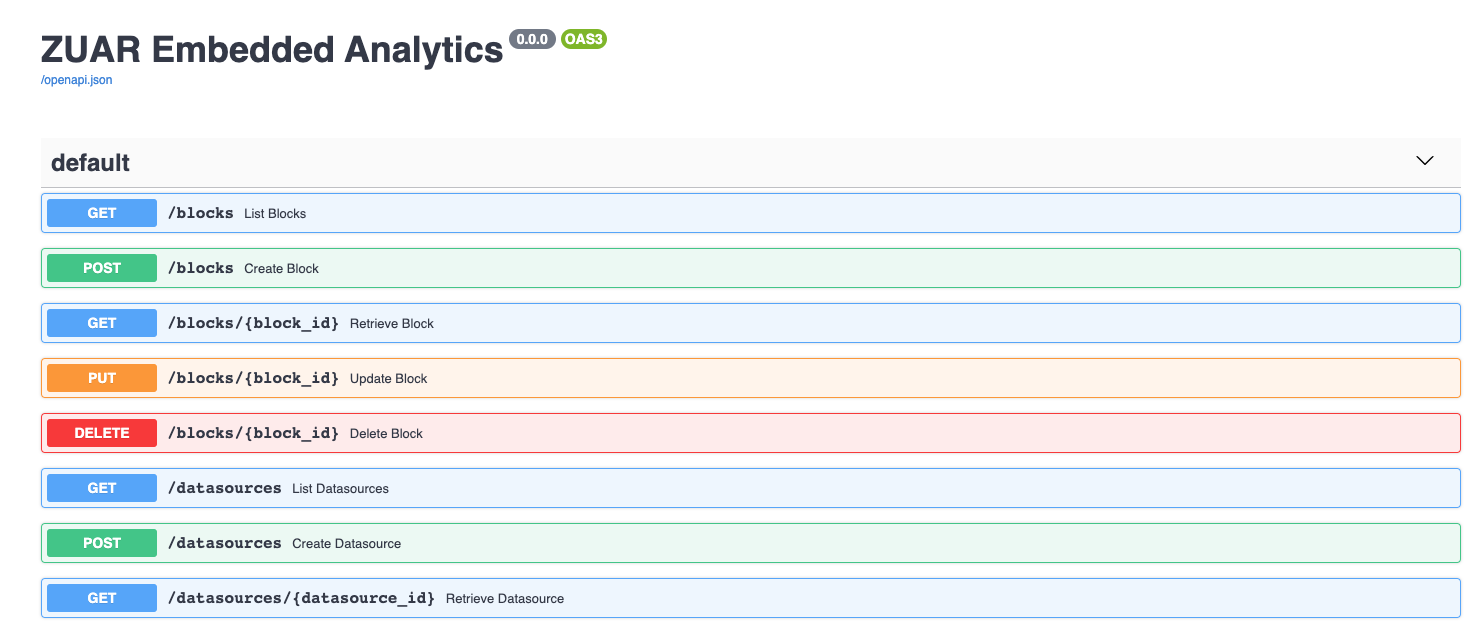
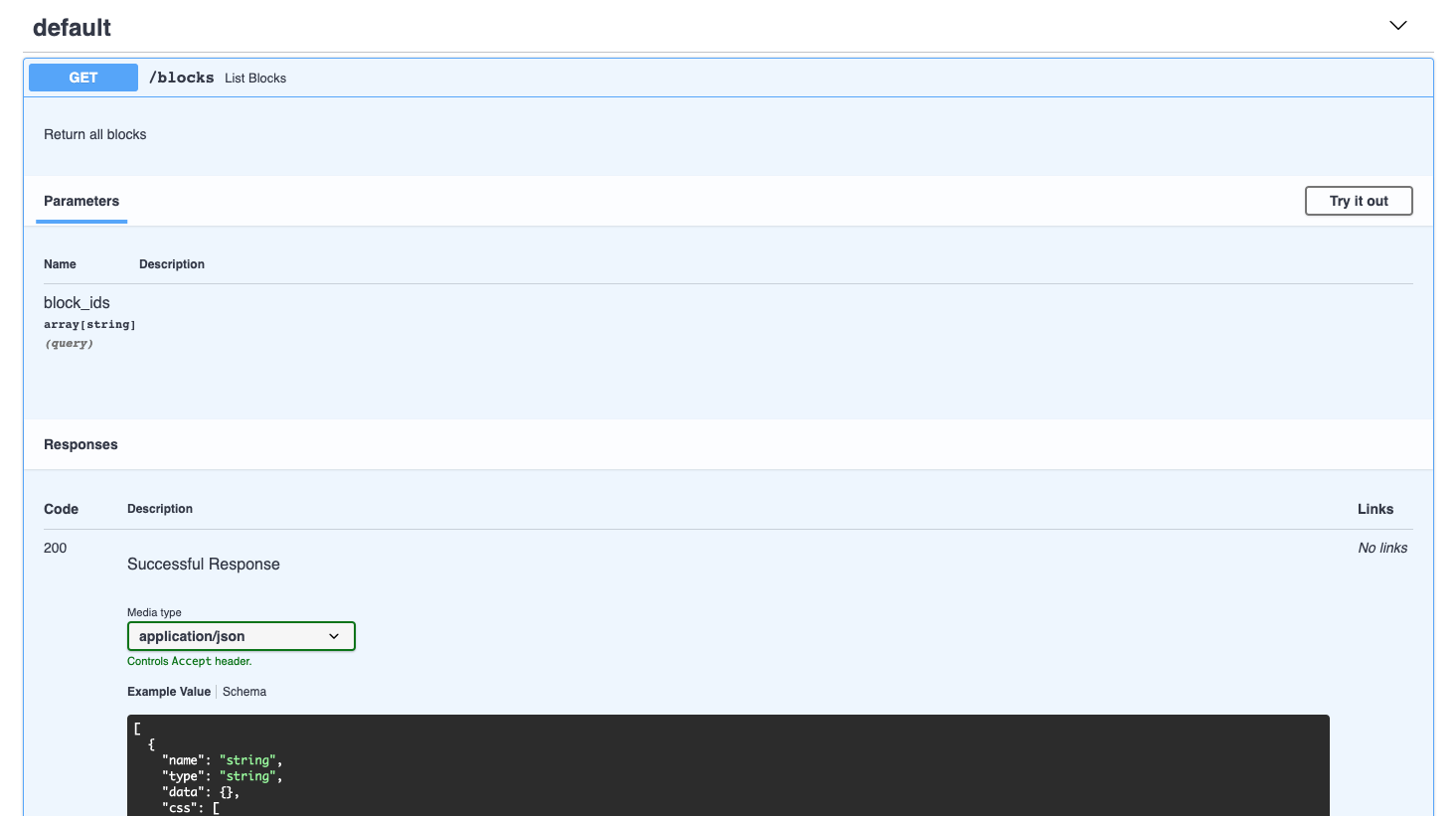
Zuar Portal's Swagger documentation is avaiable at https://{Zuar_Portal_URL}/api/docs when logged in. This page displays all available REST API endpoints, parameters, responses, and data types. The Try it out button allows you to test each endpoint.
Responses
Zuar Portal's API endpoints return data in JSON format. Here's an example response body from the /blocks endpoint:
[
  {
    "name": "Block Name",
    "type": "html",
    "data": {
      "__source__": "",
      "columns": []
    },
    "css": [
      ".dashboardtitle {",
      "\tdisplay: block;",
      "\twidth: 100%;",
      "\theight: 100%;",
      "\tbackground: rgb(37,21,70);",
      "\tpadding-left:20px;",
      "    /*background: linear-gradient(286deg, rgba(37,21,70,1) 0%, rgba(218,26,66,1) 100%);*/",
      "    background: linear-gradient(286deg, rgba(218,26,66,1) 0%, rgba(37,21,70,1) 100%);",
      "}",
      "iframe {",
      "\theight: 100%;",
      "\twidth: 100%;",
      "\tdisplay: block;",
      "\tborder: none;",
      "}",
      ".dashboardtitle {",
      "    padding:20px 0px;",
      "    font-weight:bold;",
      "    color: white;",
      "}"
    ],
    "json_data": {
      "isolated": false,
      "html": [
        "<div class=\"dashboardtitle\">",
        "    <h1 id=\"title\">My HTML Block</h1>",
        "</div>"
      ],
      "screenshot": "data:image/png;base64..."
          },
    "tags": [],
    "id": "b77f83f7-a3b3-459c-8bda-e2af7e258387",
    "updated_at": "2023-06-01T11:00:00.000000+00:00",
    "created_at": "2022-06-15T11:00:00.000000+00:00"
  }
]
Additionally, each API endpoint's documentation includes example curl commands, request URLs, response codes, and response headers to help with your automation and integration development.
Key Endpoints
The following is a summary of the major endpoint groups available in the REST API. See the Swagger documentation at /api/docs for full details.
Content Management
| Endpoint | Description |
|---|---|
/blocks |
Block CRUD operations |
/layouts |
Page/layout management |
/grids |
Grid configuration |
Data & Queries
| Endpoint | Description |
|---|---|
/datasources |
Data source configuration |
/queries |
Query management |
/query_execution |
Execute queries and fetch results |
/db_modifications |
Database modification operations |
Configuration
| Endpoint | Description |
|---|---|
/themes |
Theme management |
/translations |
Language and translation management |
/tags |
Tag management |
/credentials |
Named Credentials management |
/snippets |
JavaScript snippet management |
/config |
System configuration |
Integrations
| Endpoint | Description |
|---|---|
/thoughtspot |
ThoughtSpot API (token generation, org management) |
Auth Service Endpoints
The auth service provides additional endpoints at /auth/:
| Endpoint | Description |
|---|---|
/auth/asset_manager |
Asset Manager file operations |
/auth/access_policies |
Access policy management |
/auth/users |
User management |
/auth/groups |
Group management |
Chatbot Endpoints
When the chatbot service is enabled, the following endpoints are available at /chatbot/:
| Endpoint | Description |
|---|---|
/chatbot/v1/chat/sessions |
Chat session management |
/chatbot/v1/chat/sessions/{id}/messages |
Send messages to the chatbot |
/chatbot/v1/health |
Health check |
/chatbot/v1/config |
Chatbot configuration (LLM provider, model) |