Data Sources
A data source is a SQL select statement that queries a single relational database and defines a set of data which can be used by blocks in the Zuar Portal. Multiple data sources can be used in the Portal.
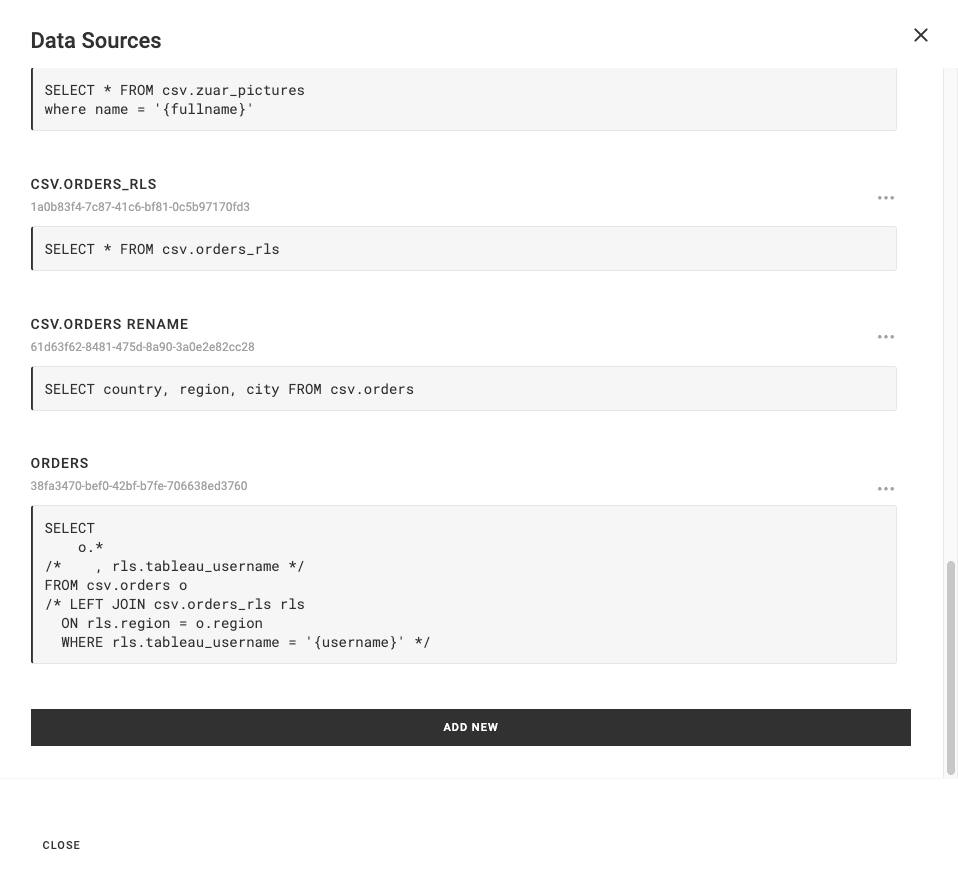
Blocks can leverage data sources through individual queries and use filters (e.g. multi-select, select, data table) that affect other blocks.
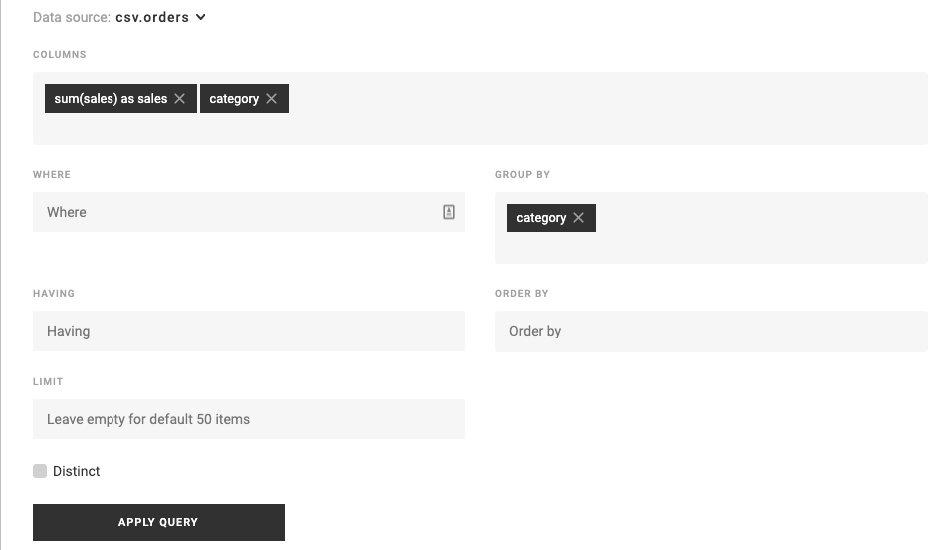
Learn more about data sources and filters.
Database Connections
By default, data sources query the Portal's configured database. You can optionally assign a different database connection to a data source using Named Credentials. This allows a single Portal to query multiple databases. To connect Databricks, see Connect Databricks as a Data Source.
Each data source shows its assigned database connection in the data source list. Data sources using the default connection display "Default database connection".
Editing Data Sources
Data sources are edited in the Sidebar Editor under the Data Sources section. Each data source editor includes:
- Name - The name of the data source.
- ID - A unique identifier, useful for referencing the data source in the System JS API.
- Tags - Assign tags for organization and filtering.
- Database - Select a Named Credential of type
db_connection, or leave as the default database connection. - Default Parameters - Set default values for any parameters used in the SQL query.
- SQL - The SQL select statement, edited using the Code Editor with syntax highlighting and auto-complete. Type
:in the SQL editor to see the available Query Context Parameters — values describing the current user (id, email, group memberships) that you can substitute into the query, for example to filter rows by the user's groups.
Testing
Click the Test button to execute the data source query and preview results. The test returns up to 10 rows, showing column names and data. If the query contains an error, the error message is displayed inline.
Column Types
After testing, the Column Types section displays each column returned by the query. You can override column data types here to control how data is interpreted by blocks.
Error Reporting
Data sources that contain errors display a warning icon and error message in the data source list. Expand the error to see the full details. Errors are also shown inline in the data source editor when editing.