Experience Assistant
Early access
The Experience Assistant is available to early adopters as an early-access feature. Its capabilities are still evolving.
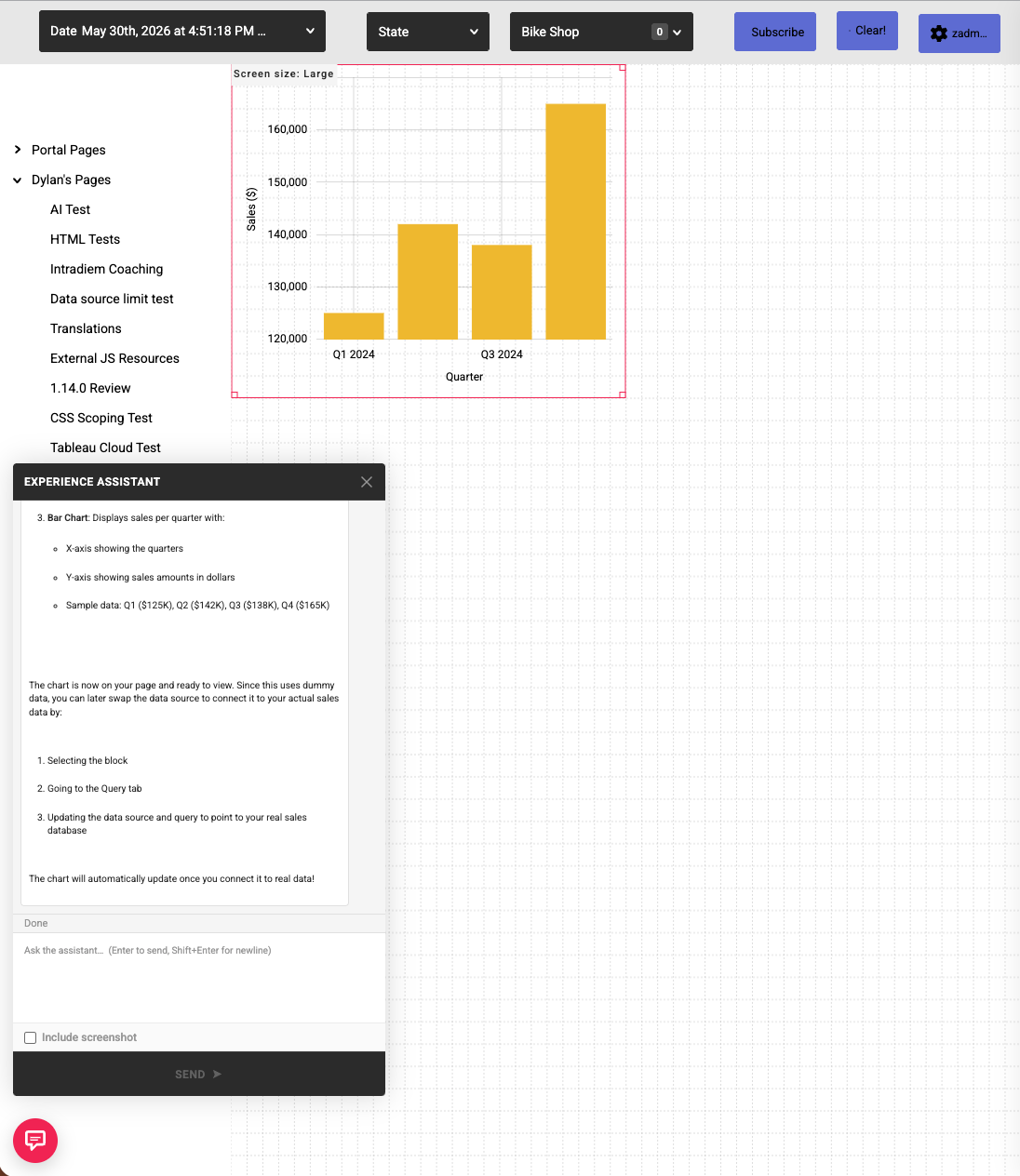
The Experience Assistant is an AI authoring assistant that builds and edits portal pages, blocks, and themes from natural-language requests. You describe what you want in a chat panel, and the assistant proposes the changes in the page editor's unsaved draft. Nothing is applied to your portal until you Save.
Enable the Experience Assistant
Three things must be in place:
- Feature flag — the
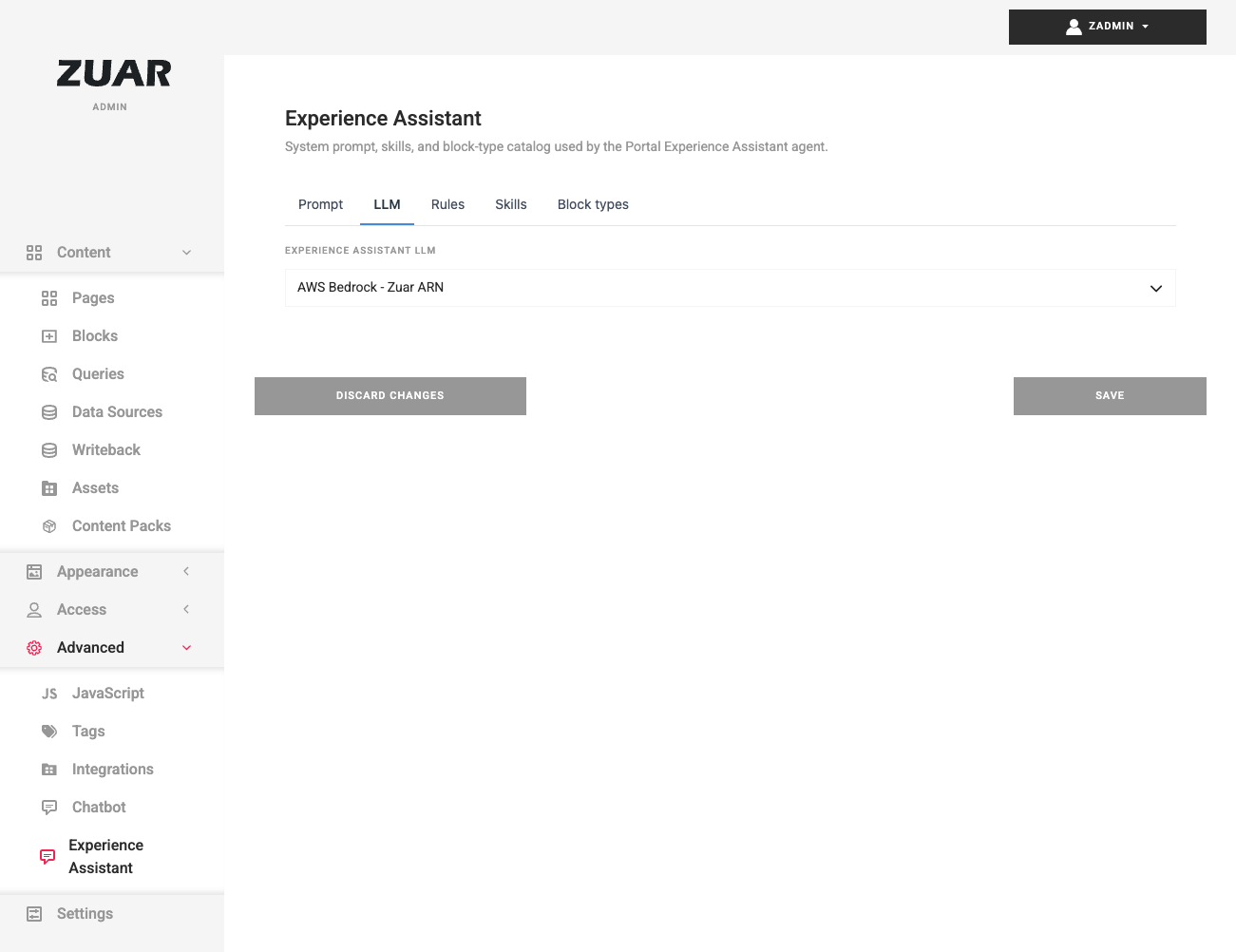
app.features.experience_assistant.enabledsetting is off by default. It is enabled through the installation's configuration overlay, which is managed as part of your deployment rather than from a toggle in the admin console. - LLM connection — the assistant uses AWS Bedrock. On the admin Experience Assistant page, open the LLM tab and select or create an LLM connection. The provider, region, and model are read from that credential.
- Service deployment — the Experience Assistant is a licensed optional add-on. Its service must be deployed and running for the feature to appear.
Configure the assistant
The admin Experience Assistant page has tabs for Prompt, LLM, Rules, Skills, and Block types, where you tune how the agent behaves. Use Save to apply changes or Discard changes to revert. These settings tune the assistant — they do not enable it (see above).
Use the assistant
- While editing a page as an administrator, open the assistant from the floating Experience Assistant launcher, or right-click the page and choose Experience Assistant.
- Describe what you want — for example, "Add a bar chart of sales by region." The assistant applies its proposed changes to your draft.
- Review the changes, and Undo any proposed change you don't want before saving.
- Save the page to keep the changes.
Warning
Proposed changes appear in your editor draft only. Nothing is persisted until you save the page, so you can always review or undo before committing.