Page Access Control
The Portal provides granular control over user access to specific pages.
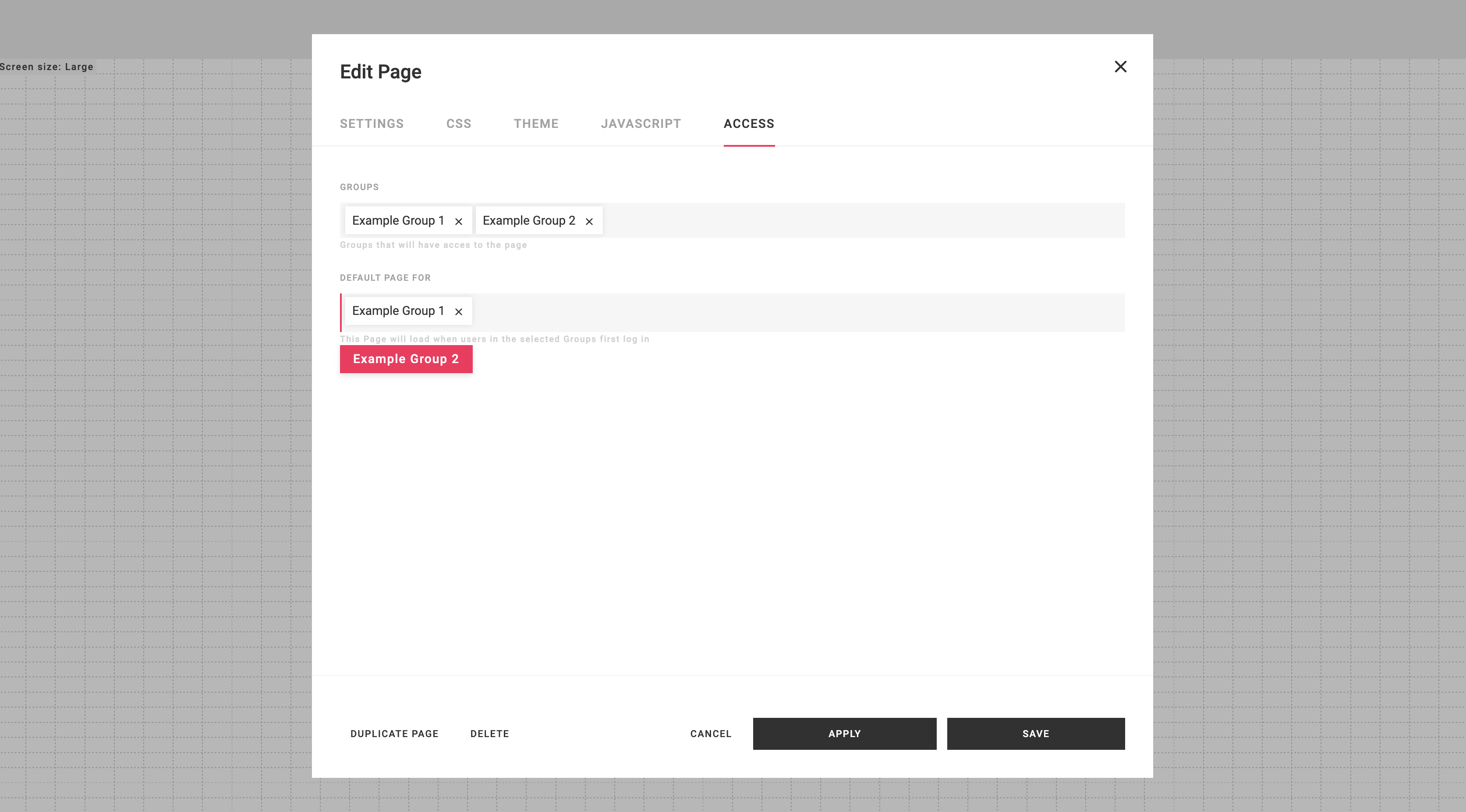
The Groups field determines which users can access a particular page. If a page has no assigned groups, it will be accessible to all users. However, if a page is associated with a specific group, only members of that group will be able to view it.
The Default page for field allows you to define a list of groups for which a particular page will serve as the default landing page. When users from one of these groups log in, they will be directed to this default page instead of the Portal's general landing page.
For example, if a page is linked to Example Group 1 and set as the default page for Example Group 1, it will be accessible to users with Example Group 1 and will automatically load as their default landing page upon login.
This access control mechanism ensures that only authorized users can access specific pages within the Portal, enhancing security and organization within the Portal's page management system.