Writeback
Writeback lets a portal page write data back to a database by running a stored SQL statement against a database connection. You define a writeback once in the admin console, then invoke it from a page — for example, to let users submit edits, approvals, or comments that persist to your database.
Note
In the admin console this feature is called Writeback. In the REST API the same object is called a db_modification — keep this in mind when invoking a writeback.
Manage writebacks
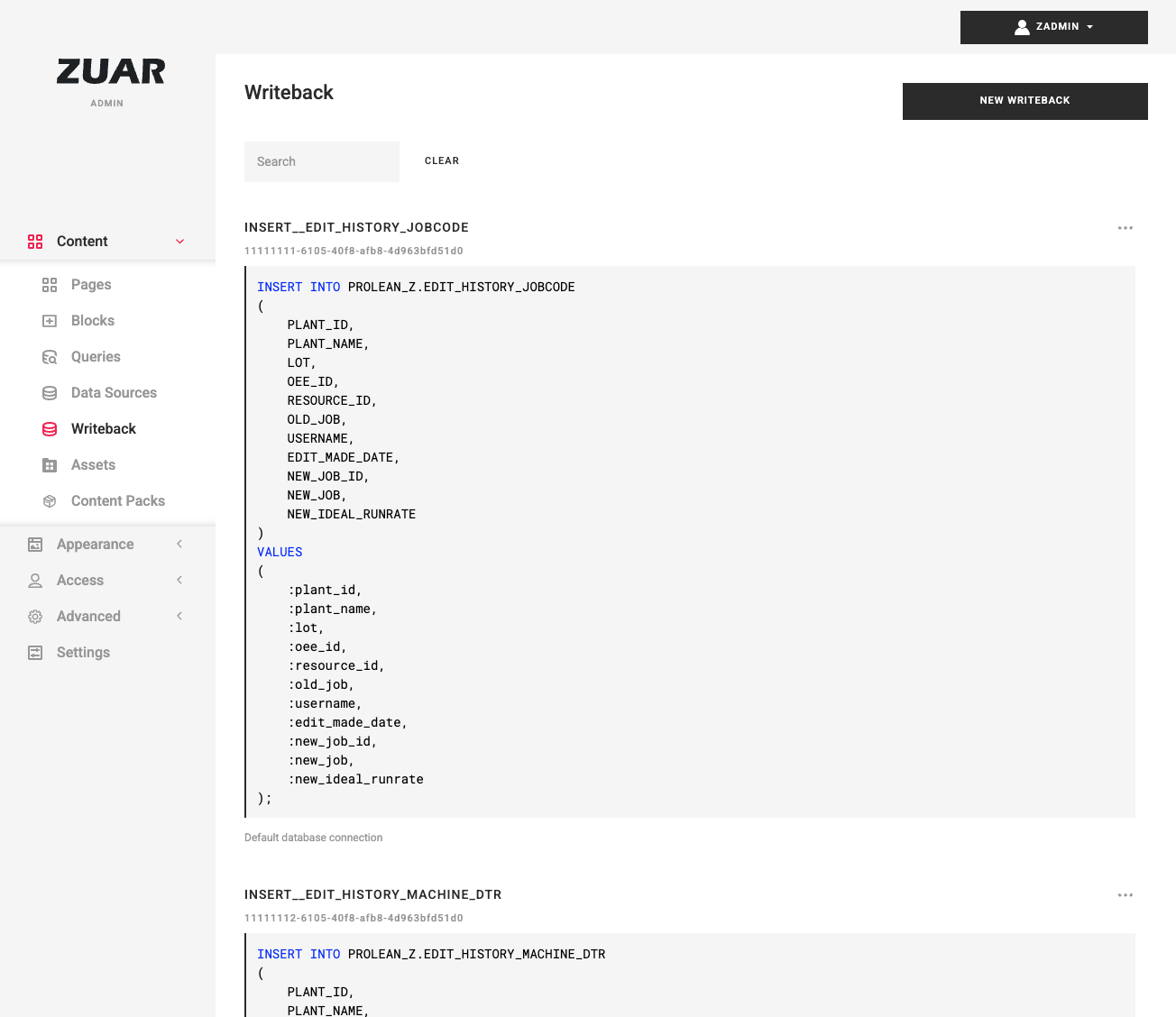
Open the admin console and go to Writeback. The list shows each writeback's name, ID, SQL preview, and database connection. Use the row menu to Edit, Duplicate, or Delete a writeback, or click New Writeback to create one.
Configure a writeback
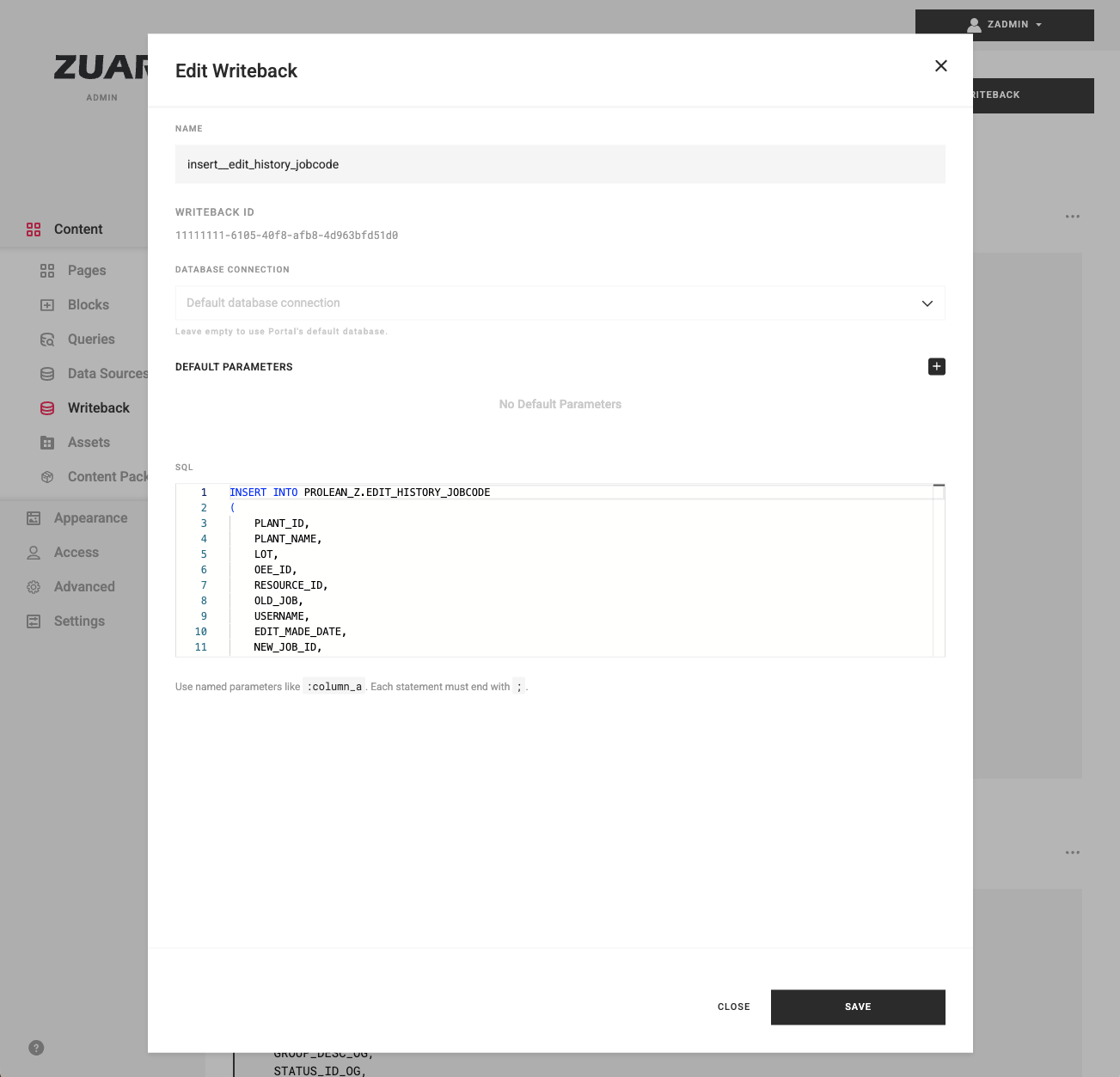
Each writeback has the following fields:
- Name — a unique name. You reference this name when invoking the writeback.
- database connection — the database to write to. Choose a stored Database Connection Named Credential, or leave it empty to use the Portal's default database.
- Default Parameters — default values for the named parameters in your SQL. These are merged with the parameters supplied at invocation time, which take precedence.
- SQL — the statement or statements to run. Use named parameters like
:column_a, and end each statement with a semicolon (;).
Name and SQL are required.
Invoke a writeback from a page
From page JavaScript (recommended)
The recommended way to run a writeback from page or HTML block JavaScript is the zPortal.writeback.execute() System JavaScript API. It wraps the POST /db_modifications/run endpoint, sends the request with the signed-in user's session, and returns a Promise that resolves to a normalized result object.
const result = await zPortal.writeback.execute({
  name: 'my-writeback',
  params: { column_a: 'value' }
});

if (result.ok) {
  console.log(result.rowcount, 'rows affected');
} else {
  console.error(result.modifications[0].results[0].error);
}
- Reference the writeback by its name, and supply values for its named parameters in
params. - To run the same writeback once for each of several parameter sets, pass
paramsList(an array of parameter objects) instead ofparams. The two are mutually exclusive. - To run several different writebacks in one call, pass a
modificationsarray of{ name, params }(or{ name, paramsList }) objects instead of a top-levelname. autocommitdefaults tofalse, which runs all writebacks sharing a database connection in a single transaction. Set it totrueto commit each statement individually.ignoreSqlErrorsdefaults tofalse. Set it totrueto continue past failing statements and capture their errors in the results.
The Promise resolves to a normalized object { ok, rowcount, modifications }. ok is true when every statement succeeded, rowcount is the total rows affected, and each entry in modifications is { name, ok, rowcount, results } where each result is { sql, params, rowcount, error } — rowcount is null and error holds the message string when that statement fails.
Over REST (non-JavaScript callers)
Callers that are not running inside the page — server-side scripts, integrations — can call the POST /db_modifications/run endpoint directly:
await fetch('/api/db_modifications/run', {
  method: 'POST',
  headers: { 'Content-Type': 'application/json' },
  body: JSON.stringify({
    db_modifications: [
      { name: 'my-writeback', params: { column_a: 'value' } }
    ],
    autocommit: false,
    ignore_sql_errors: false
  })
});
The REST request uses the endpoint's snake_case field names (ignore_sql_errors, params_list). The response returns, for each writeback, a list of results — each with the affected rowcount or an error message.
Note
Confirm the API path prefix (/api) for your deployment. The writeback endpoints are served by the /db_modifications router.
Permissions
Warning
Creating, editing, and deleting writebacks is restricted to administrators. Running a writeback, however, is by design available to any authenticated user: the run endpoint requires only a signed-in user and is not filtered by access groups, so any signed-in user who knows a writeback's name can run it. Design your writebacks, and their SQL, with this in mind.
Writeback SQL runs verbatim, so INSERT, UPDATE, DELETE, and DDL statements are all permitted. Test writebacks carefully before exposing them on a page.