Key Takeaways
- The BI market is large—and largely underperforming. The global BI market reached $41.16 billion in 2026, yet Gartner research shows that 70-80% of BI projects fail, with many failing to deliver expected business value. The problem isn't budget—it's architecture.
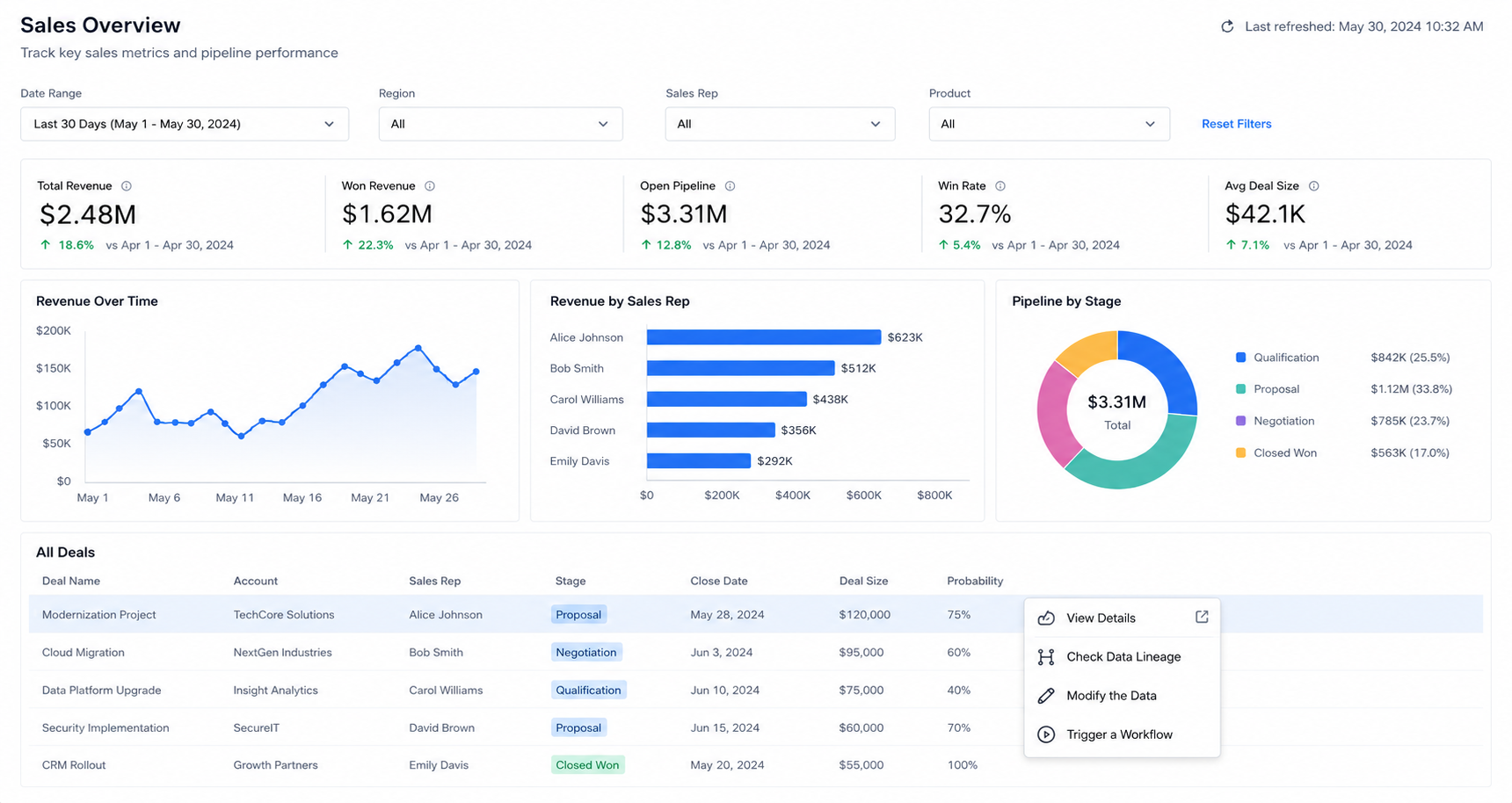
- Data Experience Platforms (DXPs) are a distinct category. A DXP isn't a rebrand of BI. It's a unified layer that sits on top of your data warehouse and existing BI tools, handling the "last mile" between clean data and human decision-making.
- Embedded analytics is the fastest-growing segment. The embedded analytics market hit $78.5 billion in 2025 and is growing at nearly 14% CAGR—signaling that analytics delivered inside workflows is what buyers actually want.
- DXPs solve what BI tools structurally cannot: Platforms like Zuar DXP include general purpose automation, data writeback, workflow integration, full branding and theme control for all user groups, native NLQ analytics assistants and governed AI-assisted content creation—all in a single unified framework that was purpose-built to serve internal and partitioned external audiences securely from one portal.
- You don't have to rip and replace. Platforms like Zuar DXP can replace dashboards and reports from other systems natively, but can also start by immediately embedding your existing Tableau, Power BI, or ThoughtSpot investments into a governed, curated environment to allow for a more natural transition timeline or serve as a permanent augmentation layer.
The Real Problem With Traditional BI
Let's skip the diplomacy. If you've spent any time deploying any of the BI tools from the last 10 years at scale, you already know the pattern:
Quarter 1: Procurement signs the contract. The vendor demo looked fantastic—someone clicked three buttons and produced a beautiful dashboard on clean sample data.
Quarter 3: Your team has built 47 dashboards. Twenty of them are duplicates with conflicting metrics. The finance team still exports everything to Excel because they need to write data back into a planning model, and your BI tool treats data as read-only. Your external clients? They're getting PDF exports because embedding licensing costs more than you budgeted.
Quarter 5: Someone asks, "Can we trigger an alert when this metric crosses a threshold and automatically update our CRM?" The answer is no—your BI tool is a visualization layer, not a workflow engine.
This isn't a Tableau problem or a Power BI problem. It's a category problem. Traditional BI was designed to answer one question: "What happened?" But in 2026, the question organizations actually need answered is: "What should we do about it—and can the platform help us do it?"
Where the Numbers Back This Up
The adoption data tells the story plainly:
- Only 16% of organizations achieve full dashboard adoption in Power BI deployments; 58% report adoption rates below 25%.
- Tableau's per-user licensing for external-facing analytics ranges from $15 to $115/user/month depending on the user role (Viewer, Explorer, or Creator), with embedded analytics often requiring custom OEM pricing—costs that become prohibitive when you're serving hundreds or thousands of external users.
- Power BI Pro's 1 GB per-dataset limit forces mid-market companies into Premium tiers faster than they planned, with prices increasing to $14/user/month for Pro and $24/user/month for Premium Per User in April 2025.
- 67% of Tableau users report a steep learning curve that undermines the "self-service" promise.
These aren't edge cases. They're the norm for organizations trying to scale BI beyond a departmental pilot into an enterprise-wide—or customer-facing—program.
What Is a Data Experience Platform, Exactly?
A Data Experience Platform is a unified layer that sits on top of your data warehouse to provide a seamless, interactive interface for consuming and acting on data. It integrates several capabilities that traditional BI tools treat as separate products—or don't address at all:
| Capability | Traditional BI | Data Experience Platform |
|---|---|---|
| Dashboard visualization | ✅ Core strength | ✅ Embedded + native |
| Self-service exploration | ⚠️ Requires training | ✅ NLQ + guided exploration |
| Embedded analytics (external) | ⚠️ Complex, expensive licensing | ✅ Built-in, white-labeled |
| Data writeback | ❌ Read-only | ✅ Push data back to operational systems |
| Workflow automation | ❌ Not in scope | ✅ Trigger actions from data events |
| Multi-tool consolidation | ❌ Single vendor only | ✅ Embed Tableau + Power BI + ThoughtSpot together |
| Branded portals | ❌ Limited theming | ✅ Full white-label control |
| AI-assisted content creation | ⚠️ Premium add-ons | ✅ Governed, built into the platform |
The distinction matters because a DXP doesn't replace your BI tools—it completes them. As Whitney Myers wrote in Zuar's DXP manifesto: "The goal of a Data Experience Platform isn't just to show you the data—it's to make you feel the data. It's about turning 'data-driven' from a corporate buzzword into a daily reality."
The Three Gaps DXPs Close
1. The Context Gap. In a BI tool, a "Churn Rate" metric is a number on a dashboard. In a DXP, it comes with calculation methodology, data lineage, ownership, and annotations—the institutional knowledge that transforms a number into insight.
2. The Friction Gap. Traditional BI requires users to leave their workflow, navigate to a dashboard tool, find the right report, and interpret it themselves. A DXP with workflow integrations becomes the destination where data is actioned, whether that's an internal operations hub or a client-facing portal.
3. The Action Gap. This is the most structurally significant difference. A BI dashboard shows you that something changed. A DXP lets you do something about it—writing data back to a meta layer in the data warehouse, triggering an automated workflow, or escalating an alert—without leaving the analytics environment.
Embedded Analytics: The Capability That Broke Traditional BI
Embedded analytics—delivering insights directly inside applications rather than in a standalone BI tool—is the fastest-growing segment of the analytics market. At $78.5 billion in 2025 and projected to reach $150 billion by 2030, it's growing nearly twice as fast as the BI market itself.
Why? Because the demand has shifted from "give analysts a tool" to "put analytics in front of every decision-maker, including external customers."
This is precisely where traditional BI tools strain. Embedding Tableau or Power BI into external-facing products involves navigating per-user licensing models designed for internal teams, limited white-labeling capabilities, and complex authentication integrations. The result: most organizations either overpay, underdeliver, or settle for PDF exports.
The embedded analytics landscape actually spans three distinct categories:
- Standalone BI tools with embedding add-ons (Tableau, Power BI, ThoughtSpot)—good for internal extensions, but embedding is secondary to their architecture.
- Embedding-first platforms (Sigma, Sisense, Luzmo)—purpose-built for embedding but limited in scope beyond visualization.
- DIY libraries (D3.js, Chart.js, Apache ECharts)—maximum control, but you're building everything from scratch.
There's a fourth option: a Data Experience layer that embeds tools from all three categories into a single, governed, brandable destination. This is the approach Zuar takes—and it eliminates the false tradeoff between speed and control.
AI-Assisted Development in BI: What "Vibecoding" Actually Means When Good
There's a term gaining traction in the BI space that deserves precise definition, because it's being misunderstood: vibecoding.
Vibecoding does not mean AI is writing your data pipeline. It does not mean an LLM is making governance decisions. And it is not a shortcut that bypasses security controls.
Here's what it actually means in a platform like Zuar DXP: AI generates the dashboard content—visualizations, layouts, interactive components—inside a governed runtime framework that enforces security, data access controls, and compliance policies.
Think of it as the difference between an architect's AI rendering tool and the building's structural engineering. The AI helps you rapidly prototype and iterate on what the experience looks like—the charts, the interactivity, the layout. But the platform handles the structural concerns: row-level security, SSO integration, connection-level permissions, and single-tenant isolation.
The Development Spectrum
Zuar DXP supports a full spectrum of development approaches:
- No-code: Drag-and-drop portal builder, pre-built connectors, GUI-based configuration. Ideal for standard reporting pages and client portals.
- Low-code: Template-based blocks with configurable parameters. SQL queries driving visual components without frontend development.
- Vibecoded (AI-assisted): Describe what you want in natural language; the AI generates HTML, CSS, JavaScript, or D3.js code inside Zuar's secure Block framework. You review, refine, and deploy—within the same governance envelope.
- Full code: Write custom SQL, Python, JavaScript, or BASH directly. Zuar's Block (frontend) and Job (backend) provide blank canvases with full language support, scheduling, and monitoring built in.
This isn't about replacing developers—it's about letting data-savvy analysts build full-stack BI applications without needing a dedicated engineering team. The AI handles the boilerplate. The platform handles the governance. The analyst handles the business logic.
Why This Matters for BI Leaders
The major BI vendors are adding AI features too—Tableau has Pulse, Power BI has Copilot, ThoughtSpot has Spotter. But these features are locked behind premium tiers and limited to each vendor's proprietary environment. You can't use Copilot to build a Tableau visualization, or use Spotter to enhance a Power BI report.
A DXP's AI integrations are tool-agnostic by design...with configurations and outputs that are open-standard vs black box...for a robust, portable and future proof system.
What to Consider When Establishing a BI Program in 2026
If you're standing up a BI program for the first time—or rebuilding one that underdelivered—here's what I'd prioritize based on what actually matters in practice:
Start With the Audience, Not the Tool
The most common mistake in BI procurement is choosing a tool first and then trying to force-fit it to every use case. Instead, map your audiences:
- Internal analysts who need self-service exploration → Any modern BI tool works here.
- Internal executives who need curated, role-specific views → Requires personalization and governance.
- External clients or partners who need branded, secure portals → Requires embedded analytics, white-labeling, and multi-tenant security.
If you need all three—and most growing organizations do—a DXP is the only architecture that handles them without stitching together three separate products.
Plan for Writeback From Day One
The single biggest regret I see in BI programs is treating data as read-only. The moment your users need to annotate a forecast, approve a budget line, update a status, or trigger a downstream process, you've outgrown traditional BI.
Data writeback—the ability to push data from the analytics layer back into operational systems—is the capability that separates "reporting" from "workflow." Zuar DXP supports writeback natively, turning dashboards into operational interfaces.
Budget for the Last Mile, Not Just the Pipeline
The modern data stack has solved data engineering. Tools like dbt, Fivetran, and Snowflake make it straightforward to get clean data into a warehouse. What they don't solve is the last mile: getting that data into the hands of every decision-maker in a way that's contextual, actionable, and secure.
Zuar Runner handles data pipeline automation with 100+ source connectors. Zuar Portal handles the last mile—data content, asset management, embedding, branding, interactivity, writeback, and AI-assisted analytics. Together, they cover the full journey from source to decision.
DXP vs BI: A Decision Framework
Here's a practical framework for deciding whether you need a traditional BI tool, a Data Experience Platform, or both:
Choose traditional BI if:
- Your audience is exclusively internal analysts and power users
- Your use case is primarily ad-hoc exploration and standard reporting
- You don't need to expose analytics to external stakeholders
- Data is descriptive and read-only—no writeback or workflow triggers required
Choose a Data Experience Platform if:
- You serve both internal and external audiences
- You need branded, white-labeled analytics portals
- You require data writeback or workflow integration
- You're embedding multiple BI tools (or considering switching tools and want portability)
- You need AI-assisted development within governed guardrails
- You want a single platform that consolidates dashboards, data, creative assets, and automation
Choose both—and layer the DXP on top of your existing BI investments—if:
- You've already invested in Tableau, Power BI, or ThoughtSpot and want to maximize that investment
- You need embedded analytics for external clients without renegotiating per-user licenses
- Your organization is scaling beyond what a single BI tool's native embedding can handle
This last option is how Zuar DXP is typically initially deployed for organizations that have existing BI tools: not as a replacement for your existing BI, but as the experience layer that unifies everything—dashboards from any tool, native visualizations, raw data, creative assets—into a single branded destination.
Frequently Asked Questions
What is the difference between business intelligence and a data experience platform?
Business intelligence (BI) tools like Tableau and Power BI focus on data visualization and reporting—transforming data into charts, dashboards, and static reports primarily for internal analysts. A Data Experience Platform (DXP) is a unified layer that sits on top of BI tools and data warehouses, adding embedded analytics, data writeback, workflow automation, white-label portals, and AI-assisted content creation. A DXP doesn't replace BI tools; it completes them by handling the "last mile" between clean data and human action.
Can a data experience platform work with my existing Tableau or Power BI investment?
Yes. Platforms like Zuar DXP are specifically designed to embed existing BI tools—including Tableau, Power BI, and ThoughtSpot—into a unified, branded environment. You can even display dashboards from multiple BI vendors on the same portal page. This preserves your existing investment while adding capabilities that standalone BI tools lack.
What is vibecoding in the context of BI platforms?
Vibecoding refers to AI-assisted content generation where users describe desired dashboard visualizations and layouts in natural language, and AI generates the code (HTML, CSS, JavaScript, D3.js) within a governed runtime framework. Only the presentation layer is AI-generated—security, data access controls, and compliance policies are enforced by the platform. It's rapid prototyping within guardrails, not ungoverned code generation.
How much does the BI market spend on embedded analytics?
The embedded analytics market reached approximately $78.5 billion in 2025 and is projected to grow to $150 billion by 2030 at a CAGR of nearly 14%. This growth rate significantly outpaces the broader BI market, reflecting the shift toward analytics delivered inside applications and workflows rather than in standalone tools.
What is data writeback and why does it matter for BI?
Data writeback is the ability to push data from an analytics interface back into operational systems—such as updating a CRM record, approving a budget item, or triggering an automated workflow directly from a dashboard. Traditional BI tools are read-only; they show you data but can't act on it. DXPs with writeback capability transform dashboards from passive reporting tools into active operational interfaces, closing the gap between insight and action.
Is a data experience platform suitable for external client reporting?
Yes—this is one of the primary use cases. DXPs like Zuar provide full white-label capabilities, allowing organizations to deliver branded analytics portals to clients, partners, or customers. This is especially valuable for agencies, SaaS companies, and service providers who need to offer analytics as part of their product without exposing the underlying BI tool's interface or incurring per-user licensing costs.
References
- Mordor Intelligence, "Business Intelligence (BI) Market Size & Share Analysis," 2026. mordorintelligence.com
- Mordor Intelligence, "Embedded Analytics Market Size & Share Analysis," 2025. mordorintelligence.com
- Fortune Business Insights, "Business Intelligence Market Size, Share & Industry Analysis," 2025. fortunebusinessinsights.com
- Gartner, "Magic Quadrant for Analytics and Business Intelligence Platforms," 2025. gartner.com
- CIO, "4 Reasons Most Companies Fail at Business Intelligence," citing Gartner research. cio.com
- The Virtual Forge, "Common Power BI Mistakes That Kill Dashboard Adoption," 2025. thevirtualforge.com
- Tableau, "Pricing for Data People," Official Tableau Pricing. tableau.com
- Qrvey, "Tableau Pricing Guide 2026: Plans, Costs & Hidden Fees." qrvey.com
- The Bricks, "Guide: What is the Size Limit for Power BI," 2026. thebricks.com
- SelectHub, "Tableau vs Power BI," 2026. selecthub.com
- Tech Insider, "Tableau vs Power BI 2026 Comparison," 2026. tech-insider.org
- Market.us Scoop, "Business Intelligence Statistics," 2025. scoop.market.us
- Zuar Blog, "The Rise of the Data Experience Platform (DXP)," 2026. zuar.com
- Zuar Blog, "The Best of All Worlds in One BI Platform," 2026. zuar.com
- Zuar Blog, "Embedded Analytics: Top 5 in 3 Categories," 2026. zuar.com
- Zuar Blog, "Best AI Tools for Data Analysis," 2026. zuar.com
- Zuar Blog, "Embed Tableau, PowerBI, ThoughtSpot in Branded Portals," 2026. zuar.com
- Zuar Blog, "Best Data Platform for AI 2026," 2026. zuar.com
- Zuar Blog, "White-Label Analytics Platform for Marketing Agencies," 2026. zuar.com
